

If you’ve ever left your laptop unattended in a coffee shop, library, or coworking space, you’ve probably had that tiny panicky thought: what if someone walks off with it? Sure, there are the obvious fixes—like putting it in your bag before you go to the bathroom—but even the most careful people slip up sometimes. That’s where laptop security gear comes in, and lately I’ve been getting a ton of questions from customers and followers about the often-overlooked hero of the set: the Laptop Security Lock Plate. As someone who’s been supplying this stuff for years (let’s be real, I’ve helped thousands of people stop panicking over stolen devices), I thought I’d break down exactly what this thing is, why it matters, and why it’s way more useful than you might think.
First off, let’s get the basics right. A lot of people mix up laptop security lock plates with other lock accessories, like Laptop Anti Theft Cable Locks or Combination Laptop Cable Locks. But here’s the thing: the plate is the foundation that makes all those other locks work. Think of it like the base of a bookshelf—you can have all the fancy books, but if the base is wobbly, everything falls apart. I’ve seen so many people buy a cable lock only to realize their laptop doesn’t have the right slot to attach it. That’s where the lock plate comes in.
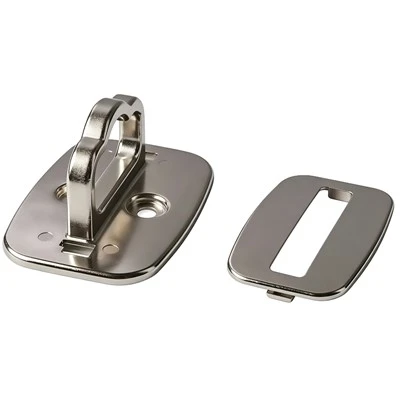
So what is a combination laptop security lock plate, exactly? Let me keep this simple, no jargon. It’s a small, flat metal plate (usually stainless steel or a strong aluminum alloy—we use 304-grade stainless steel for our plates, so they can’t be snapped with regular pliers) that you permanently or semi-permanently affix to your laptop. It has a built-in slot that works with nearly every standard laptop security cable lock on the market (you know, the ones that use a key or combination). Wait, “combination” might be in there too—some plates are designed specifically to pair with combination locks, so you don’t have to carry keys around. That’s the combination part, by the way. It’s not a lock itself, but it’s the essential piece that makes combination locks (and other cable locks) actually function with your laptop.
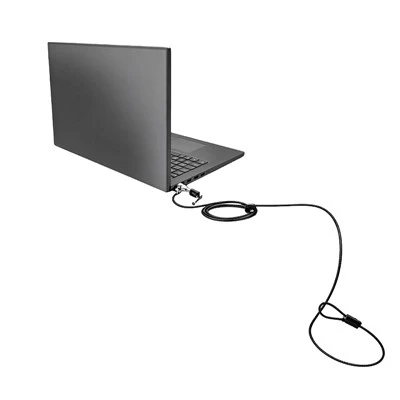
Let me explain how it works step by step, because I swear it’s not rocket science. First, you decide where to mount the plate on your laptop—usually on the back edge, near the hinge, because that’s a strong part of the laptop’s body that doesn’t flex much. You clean that spot with the included alcohol wipe (we include that in every set, no extra cost) to make sure the adhesive sticks. Then, you peel off the backing and press the plate firmly for 30 seconds. Some people worry about it damaging their laptop, but the adhesive is strong enough to stay put, and if you ever need to remove it (we get this question all the time), it won’t leave a residue—no sticky mess to ruin your laptop’s finish. Once it’s on, you just plug your Combination Laptop Cable Lock (or any other standard cable lock) into the plate’s slot, lock the combination, and thread the other end around a heavy, immovable object like a table leg or a desk. Now your laptop is basically nailed down—someone would have to break the plate or the cable to steal it, and breaking the plate is way harder than most thieves want to bother with.
Why would you need this instead of just a standard cable lock? Let’s say you have an older laptop, or a model that doesn’t have a Kensington Security Slot—those little slots that most new laptops have. A lot of people don’t realize that not all laptops have them, especially budget models, gaming laptops, or older devices that were made before Kensington slots were standard. I’ve had customers come to me with a 5-year-old MacBook Pro, a custom gaming PC laptop, and a Chromebook their kid uses for school—none of which have a Kensington slot. They tried using a cable lock but it just slipped right off, so they thought a lock wouldn’t work. That’s where the laptop security lock plate comes in. It adds that slot to any laptop, no matter the age or model. I can’t tell you how many times we’ve sent a plate to someone who was about to give up on laptop security, and it saved their bacon.
Another big reason: even if your laptop has a Kensington slot, a lot of people don’t realize that the slot can crack or break over time. If you’re yanking the cable in and out every day, or if the slot is plastic (which most are), it can snap clean off. Then your laptop is basically useless for locking—until you add a security plate. The plate we supply is metal, so it’s way stronger than a plastic Kensington slot. I’ve had a customer tell me his cat knocked over his table, yanking the cable hard, and the laptop just stayed put—no damage to the laptop, no damage to the plate. That’s the kind of durability we’re talking about.
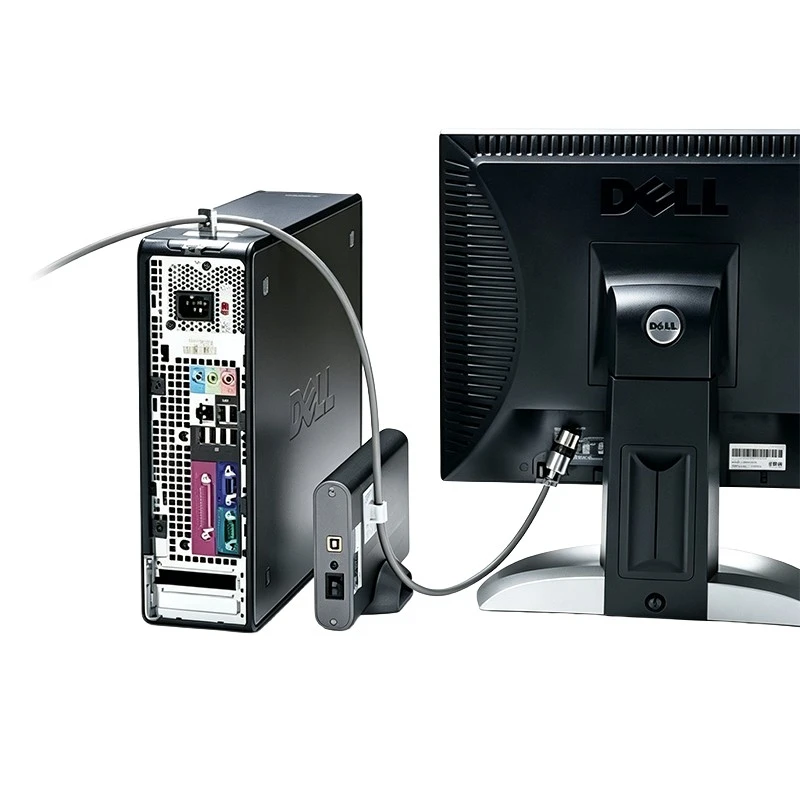
Wait, let’s clarify the difference between a security plate and other similar products, because this is where people get confused. There’s also the Computer Lock Security Plate—that’s a bit more heavy-duty, designed for desktop computers, monitors, even servers. Then there’s the Desktop Computer Security Lock, which is for desktop towers, not laptops. The laptop-specific plate is smaller, thinner, and made to attach to the thinner, more delicate body of a laptop. You can’t use a desktop plate on a laptop—it’s too big, and the adhesive isn’t strong enough for a laptop. That’s why it’s important to get the right one for your device, which is why our site categorizes everything clearly (check out the Laptop Security Lock Plate page if you want to see the exact specs and sizes).
Now, let’s talk about real-world use cases, because I don’t want this to be just a product pitch. I’ve seen so many people use these plates in all kinds of situations. Freelancers who work from coffee shops—they’ll lock their laptop to the table while they go grab another latte. Students in libraries—lock it to the study carrel so they don’t have to carry it to the bathroom. Business travelers in airports—lock it to a bench while they wait for their flight. Even people who work from home and have roommates—some of us have had messy roommates who borrow stuff without asking, and this is a quick way to keep your laptop secure when you’re not in the room.
But wait, is it easy to install? Let’s be honest, no one wants to spend hours assembling something. Our plates take 2 minutes to install, max. You just clean the spot, stick it on, and you’re done. No drilling, no tools, no complicated instructions. I’ve had a customer who was 70 years old, not very tech-savvy, text me a photo of his installed plate 5 minutes after it arrived, saying it was “simpler than putting a band-aid on.” That’s the kind of feedback I love—this stuff shouldn’t be complicated.
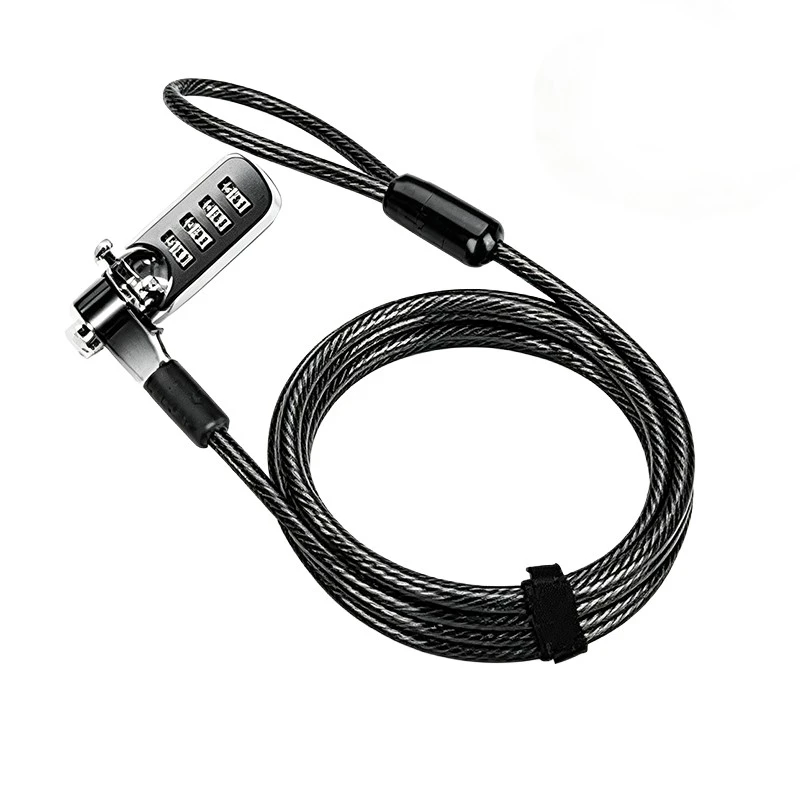
What about combination vs. key locks? The great thing about using a plate with a combination lock is that you don’t have to carry keys. How many times have you lost a key to a lock, or forgotten it and couldn’t get into your own apartment? I’ve definitely done that with a bike lock. The combination version lets you set your own 4-digit code, so you never have to worry about losing a key. That’s why a lot of our customers go for the Combination Laptop Cable Lock paired with our security plate—no keys, no hassle, just set your code and go.
Now, let’s address the elephant in the room: how effective is this really? Can someone still steal your laptop if you have one? Well, nothing is 100% thief-proof, but this is a huge deterrent. Most thieves are opportunistic—they’ll walk past a laptop that’s just sitting there, but if it’s locked down with a cable that requires tools to cut, they’ll move on to an easier target. I’ve spoken to loss prevention experts, and they say that cable locks (paired with a proper plate) reduce laptop theft by like 80% in public spaces. That’s a big number. The plate is the critical part that makes the cable actually work on your laptop, so without it, you’re basically just carrying a fancy paperweight.
Wait, let’s also talk about durability. I mentioned earlier that our plates are stainless steel, but let’s get specific. They’re scratch-resistant, water-resistant, and can handle temperatures from -40°F to 175°F. So if you leave your laptop in your car on a hot day, the plate won’t warp or come off. If you spill coffee on it (we’ve all been there), just wipe it off, no problem. And when you do want to remove it (say you upgrade your laptop), the adhesive releases cleanly—no residue, no damage to your laptop’s body. We’ve tested this ourselves, pulling the plate off and on multiple times, and the adhesive still works like new.
I should also mention that this isn’t just for personal use. We sell a lot of these plates to small businesses, too. Coworking spaces, for example—they’ll give employees or members access to laptop security plates so they can lock their devices when needed. Even schools—college computer labs use them on lab laptops to prevent theft. A lot of companies with field reps who work from coffee shops or client offices buy these for their reps, because a stolen laptop with company data is a huge nightmare. The plate is a low-cost way to prevent that—way cheaper than replacing a laptop or dealing with a data breach.
Let me wrap this up, because I don’t want to ramble too much (but I get excited about this stuff). A combination laptop security lock plate is a small, durable metal accessory that turns any laptop into a lock-compatible device, so you can use cable locks (especially combination ones) to secure your laptop to a heavy object, deter theft, and keep your device safe in public spaces. It’s not a lock itself, but it’s the essential foundation that makes laptop cable locks work—whether your laptop has a Kensington slot or not. It’s easy to install, durable, and solves the #1 problem people have with laptop security locks: not having a place to attach them.
If you’re in the market for one, or want to check out the full range of laptop security gear, you can check out our Laptop Security Lock Plate page for all the details. We also have Laptop Anti Theft Cable Locks and Combination Laptop Cable Locks if you want to pair them with a plate, plus Computer Lock Security Plates for desktop devices if you need those too. And if you have any questions—whether you’re not sure which size plate fits your laptop, or want to know about bulk pricing for a business—feel free to reach out to our team to discuss your needs. We’re here to help you keep your stuff safe, no complicated hoops to jump through.
At the end of the day, laptop theft is preventable, and the right security gear makes it so easy you’ll wonder why you didn’t get it sooner. I’ve seen too many people go through the stress of a stolen laptop, and that’s why I’m passionate about making these products accessible. Don’t wait until it’s too late—add a security plate to your laptop, pair it with a cable lock, and have peace of mind the next time you step away from your device.
References:
- Consumer Reports. (2023). Laptop Security: How to Protect Your Device from Theft. Retrieved from consumerreports.org
- Kensington Technology Group. (2022). Understanding Laptop Security Slots and Locks. Retrieved from kensington.com
- Small Business Administration. (2023). Preventing Theft of Mobile Devices in the Workplace. Retrieved from sba.gov
- Independent Security Evaluators. (2022). Opportunistic Theft: A Study of Public Device Security. Retrieved from independentsecurity.com